Listening to TV sound
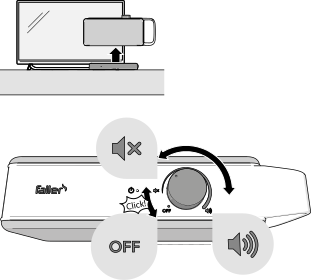
- To switch OSKAR on, turn the on/off/volume control clockwise until you hear a click. The OSKAR on/off indicator will now light up.
- Turn the on/off/volume control to set the desired volume.
- To switch OSKAR off, turn the on/off/volume control anticlockwise until you hear a click. The OSKAR on/off indicator goes out and the connection indicator on the base station flashes before going out after a few minutes.
Note:
To save energy, the base station and OSKAR enter standby mode after approximately 5 minutes if the TV is switched off or OSKAR is not receiving sound.